Four Boxes Older Than Your Last Pay Rise: A Router and Wi-Fi Stocktake for UK SMEs
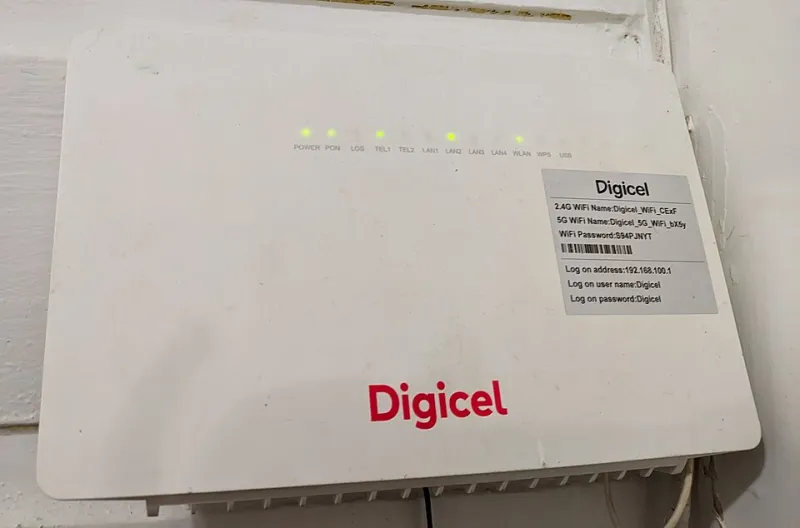
Photo: 999real, CC0, via Wikimedia Commons
Every UK small business has one: the cupboard, shelf or filing cabinet where retired kit goes to be forgotten but not switched off. A router from the previous office. Three Wi-Fi extenders. A power supply with a taped-up plug. A switch nobody can identify.
This is usually treated as a housekeeping problem. It is not. Old customer-premises equipment is a security and reliability issue, and the fix is a stocktake you can do in an afternoon.
Why roughly four years?
It is a rule of thumb rather than a law, but it holds up well. Consumer and small-business networking kit typically gets vendor firmware for somewhere between three and six years. ISP-supplied routers are often only patched while you are an active customer on that service — the moment you switch suppliers, the box in the cupboard stops receiving updates but carries on broadcasting. Wi-Fi 5 hardware bought in the late 2010s is largely out of support now. Power supplies degrade from year three onwards, quietly.
Four years is not a cliff edge. It is a prompt to go and look.
The audit: eight things to go and find
1. The ISP router you kept after switching. Still plugged in behind the printer, still on the default admin password, no longer receiving firmware because you are not a customer. Check whether it is still in service, whether it is even yours, and get it back to its owner.
2. The Wi-Fi extender daisy chain. Three plug-in repeaters, each halving throughput, all broadcasting the same SSID with no roaming, WPS enabled because it was easier. Devices cling to the weakest one. Replace with a proper access point on a wired backhaul, or a mesh system that actually hands off.
3. The mystery black box in the comms cupboard. A DECT base station, an analogue terminal adaptor from before the digital switch, a 4G router bought in a panic during a 2020 outage. Label it or unplug it. If nobody can say what it does, it should not be on the network.
4. Power supplies. Count them. Look for yellowing plastic, buzzing, warmth, and mismatched bricks driving equipment they were never meant for. Check for extension leads plugged into extension leads. If you run a UPS, its battery is likely past its best at three to four years and will give you about ninety seconds of cover when you need twenty minutes.
5. The forgotten guest access point. Frequently still on the default SSID and password, and — the classic — plugged into a LAN port rather than the guest VLAN, which means it is bypassing your firewall entirely. Find it, log into it, deal with it.
6. Switches that throttle everything. A 100Mbps unmanaged switch sitting between a gigabit line and the team will make a fast connection feel slow and get blamed on the ISP. Also check whether your PoE switch can actually power the desk phones you plan to add.
7. The router doing five jobs. Routing, Wi-Fi, firewall, VPN and DHCP for forty people, on a box designed for a household. Check its firmware date and whether the vendor still supports it. If it is out of support, it is a single point of failure with a known-software smell about it.
8. Anything with a default password. Cameras, printers with Wi-Fi Direct, NAS drives, smart plugs, the doorbell on the front. Each one is a small door. You only need one left open.
The inventory sheet
One spreadsheet, one row per device, columns as follows:
| Device | Model | Serial | Location | Owner | Firmware + date | Vendor support ends | Role | Decision |
'Owner' matters more than it sounds. ISP routers usually remain the provider's property, and landlord kit in serviced offices is not yours to replace. 'Vendor support ends' is the column that turns an opinion into a decision.
What to do with the answers
Four decisions cover almost everything:
- Keep, with a condition — firmware updated, moved to its own VLAN, replacement diarised.
- Replace in 2026 — end of support within twelve months, or no longer fit for the number of people using it.
- Retire today — no support, unknown function, or default credentials you cannot change.
- Return to owner — ISP or landlord equipment that should never have been left running.
A two-minute security walk-round per device
Log into each one and check four things: admin password changed from default, WPS off, remote management off, UPnP off unless something specific needs it. Then put the admin credentials in a password manager rather than the drawer, and note who has access. If the answer is 'everyone, because nobody wrote it down', that is the finding.
While you are there, separate guest and device traffic onto its own network. Visitors, smart TVs, printers and the heating controller have no business sharing a subnet with the finance laptop.
The cost of doing nothing is not just slow Wi-Fi
The obvious symptom is a team grumbling about video calls. The less obvious ones are worse: an unpatched router facing the internet with remote administration enabled, a failing power supply that takes the switch down at 3pm on a Friday, a repeater that drops calls mid-sentence and gets blamed on the phone provider.
Put the next one in the diary
Do the walk-round, fill in the sheet, replace two or three boxes rather than all of them at once, and diarise the whole exercise for twelve months' time. Old kit does not announce itself. It just sits in the cupboard, drawing power, waiting for someone to notice.